Get started
Add Wix features to a page
Put your Wix products, services, sign-in and more on any WordPress page with a block, a shortcode or an Elementor widget.
Every Wix feature comes as a block, a shortcode and an Elementor widget. All three show the same thing, so use whichever your site already uses. Building with Elementor? See Build pages with Elementor.
Add a shop to a page
Create a page
Go to Pages → Add New Page and give it a title, for example Shop.
Insert a Wix block
Open the block inserter (+) and search for Wix. Pick Wix Products. To use a shortcode instead, add a Shortcode block and type [wix_products].
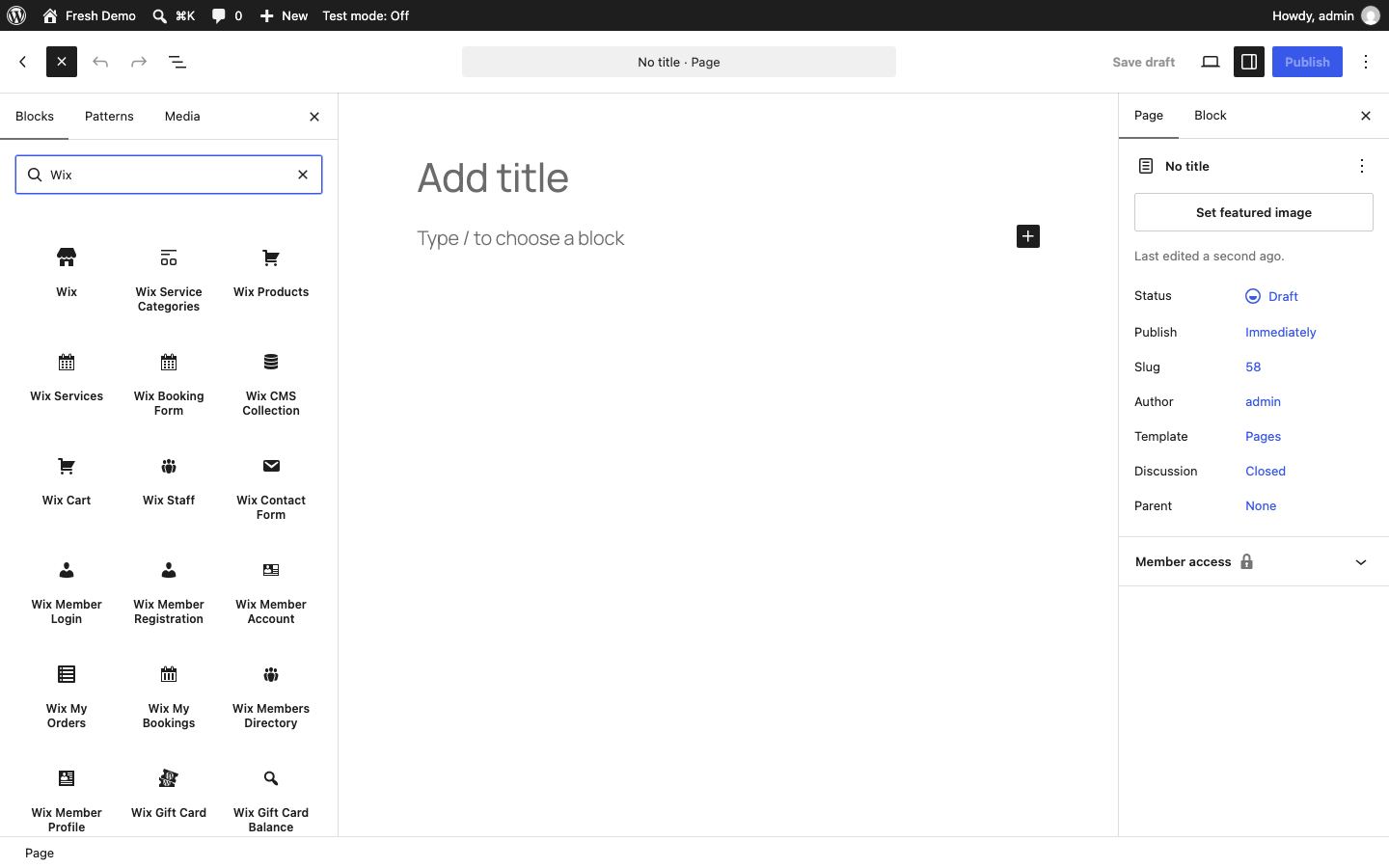
Publish the page
Click Publish. Here’s the same page built with a Shortcode block:

View the page
Open the page. Your Wix products appear in the same order as your Wix catalog, each linking to its own product page.

Want more columns?
Block themes keep page content narrow, which gives only two columns. Put the block inside a Group and set its alignment to Wide width or Full width. The screenshot above uses Wide.
Add a cart icon to your header
Edit the header
In Appearance → Editor, open your header template part and select the Navigation block.
Add the Wix Cart block
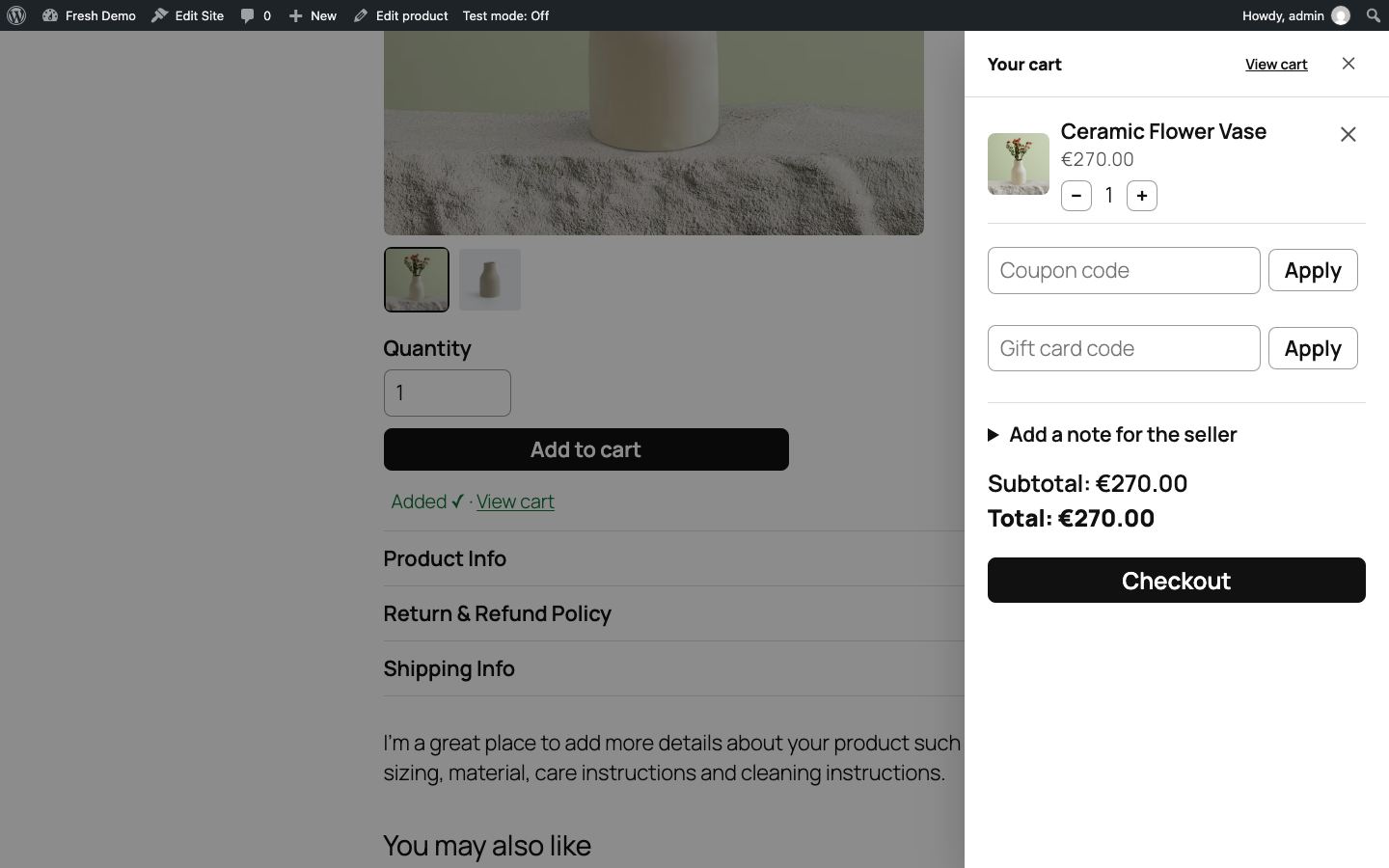
Insert Wix Cart inside the navigation. It shows a cart icon with a live item count that opens the slide-out cart. In a classic theme, add the Cart item from the Wix box in Appearance → Menus.
All blocks and shortcodes
| Shortcode | Shows | Wix app |
|---|---|---|
[wix_products] |
Products with Add to cart | Stores |
[wix_cart] |
The cart as a full page | Stores |
[wix_reviews product="…"] |
Star summary and reviews for a product | Stores + Reviews |
[wix_services] |
Services with a date and time picker | Bookings |
[wix_staff] |
Your bookings staff | Bookings |
[wix_events] |
Events with tickets or RSVP | Events |
[wix_plans] |
Memberships and subscriptions | Pricing Plans |
[wix_cms collection="Name"] |
Items from a CMS collection | CMS |
[wix_login] / [wix_register] |
Member log-in and sign-up | Members Area |
[wix_account] |
The member’s account hub | Members Area |
[wix_my_orders] / [wix_my_bookings] |
A member’s orders or bookings | Members Area |
[wix_members] |
A directory of public members | Members Area |
[wix_login_bar] |
“Log in”, or the member’s avatar menu | Members Area |
[wix_gated …]…[/wix_gated] |
Content only some visitors see | Members Area |
[wix_gift_card] / [wix_gift_card_balance] |
Buy a gift card / check a balance | Gift Cards |
[wix_loyalty] / [wix_loyalty_points] |
Rewards program / a member’s points | Loyalty |
[wix_contact] |
A contact form that saves to Wix CRM | – |
[wix_hours] |
Business hours from your Wix site | – |
You don’t need to build product, service or event pages. Every Wix item gets its own WordPress page, kept in sync automatically, so SEO plugins, sitemaps and site search see them like any other post.
If something goes wrong
The block shows "No services found" or no products
The Wix project has no items of that kind yet, the Wix app isn't installed, or the copy hasn't synced. Add an item, check Manage Apps, or click Sync now on Content Sync.
The shop looks squeezed into two columns
Your theme limits content width. Wrap the block in a Group set to Wide or Full width.