Try each feature
Test checkout without charging
Turn on checkout test mode so anyone can shop, book and check out end to end, and nobody is charged.
Run a test checkout
Turn on test mode
Use Test mode: Off in the WordPress admin bar, or the Checkout test mode card on Wix → Settings. The admin bar turns orange and reads Test mode: On.

Check the banner on your site
Every page shows a yellow Test mode banner at the bottom, so testers know no money moves.

Go to checkout
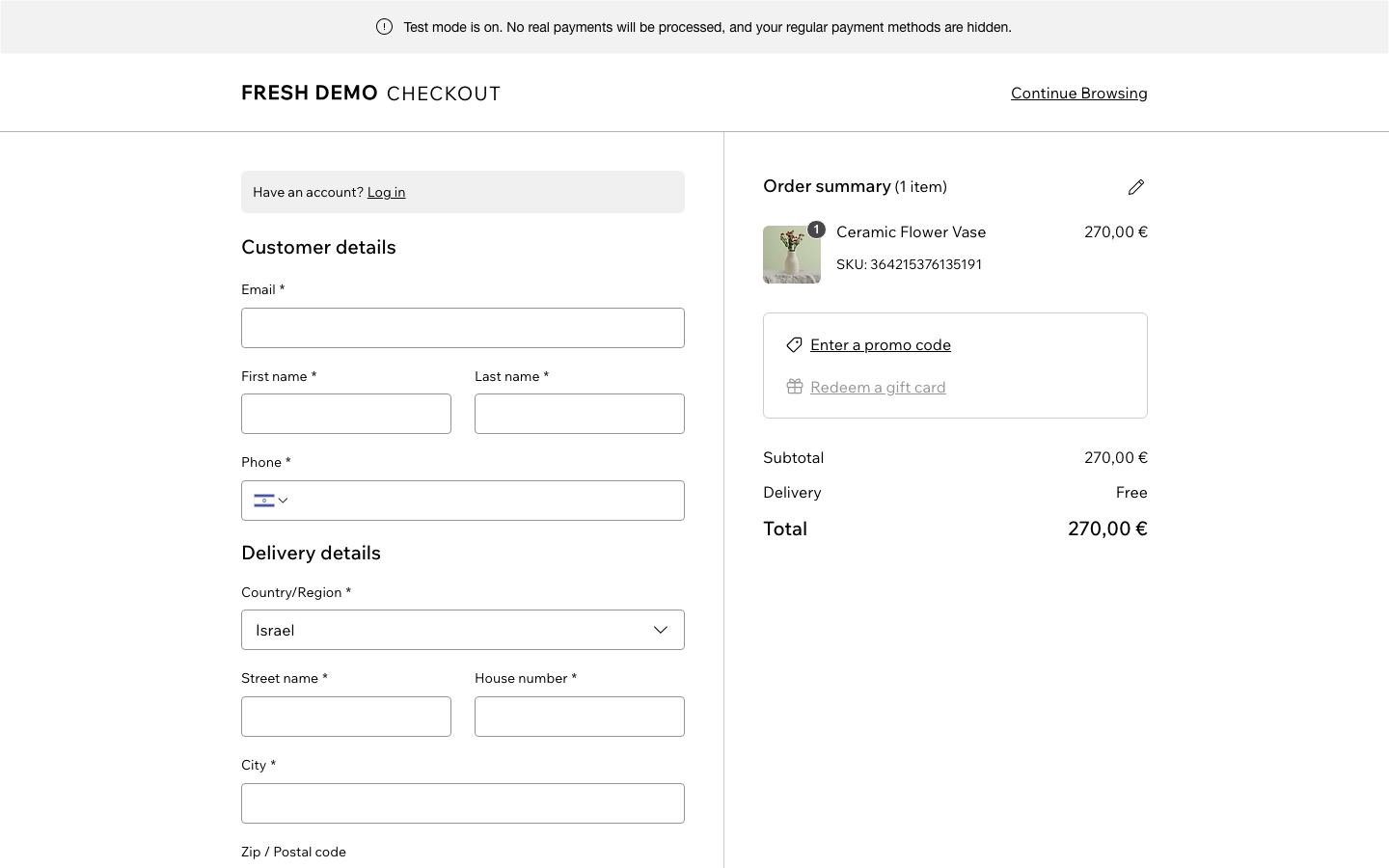
Add a product to the cart and click Checkout. Wix checkout says Test mode is on and offers only Test Payment.
Place the order
Fill in the details, choose Test Payment and place the order. You return to your site, and the order appears under Stores → Orders.
Turn test mode off
Click Turn test mode off on the Checkout test mode card (Wix → Settings). Then cancel or refund the test orders in Wix.
What test mode covers
Test orders are real orders
They lower stock, send order emails and run Wix automations. While test mode is on, no customer can pay for real, so use it only before the site starts selling.
- Wix switches test mode off after 30 minutes. The plugin checks every 5 minutes and turns it back on until you turn it off.
- Covered: Wix Stores, Wix Bookings, Wix Restaurants Orders and Wix Donations.
- Not covered: pricing plans, event tickets, product subscriptions and gift cards can’t be test-paid.
- Deactivating the plugin turns test mode off too.
If something goes wrong
Checkout still shows real payment methods
Test mode may have lapsed in Wix. Wait up to 5 minutes for the plugin to switch it back on, or toggle it off and on again in the admin bar.
I placed test orders and stock went down
That's expected. Cancel and refund the orders in Wix, then correct stock on Stores → Inventory.