Try each feature
Sell products
Follow a shopper from the shop page to Wix's secure checkout, then see the order and run the store from wp-admin.
Don't want to pay real money?
Turn on checkout test mode first. Wix checkout then takes a test payment only.
Buy a product as a shopper
Open the shop
Visit the page with your Wix Products block. Products with options (size, color) show Choose options. Out-of-stock and pre-order badges come from Wix.

Open a product
Each product has its own page with a gallery, price, stock status and quantity.

Add it to the cart
Click Add to cart. Price and stock are checked with Wix first, then the cart slides out. Shoppers can change quantities, enter a coupon or gift card code, and add a note for the seller.
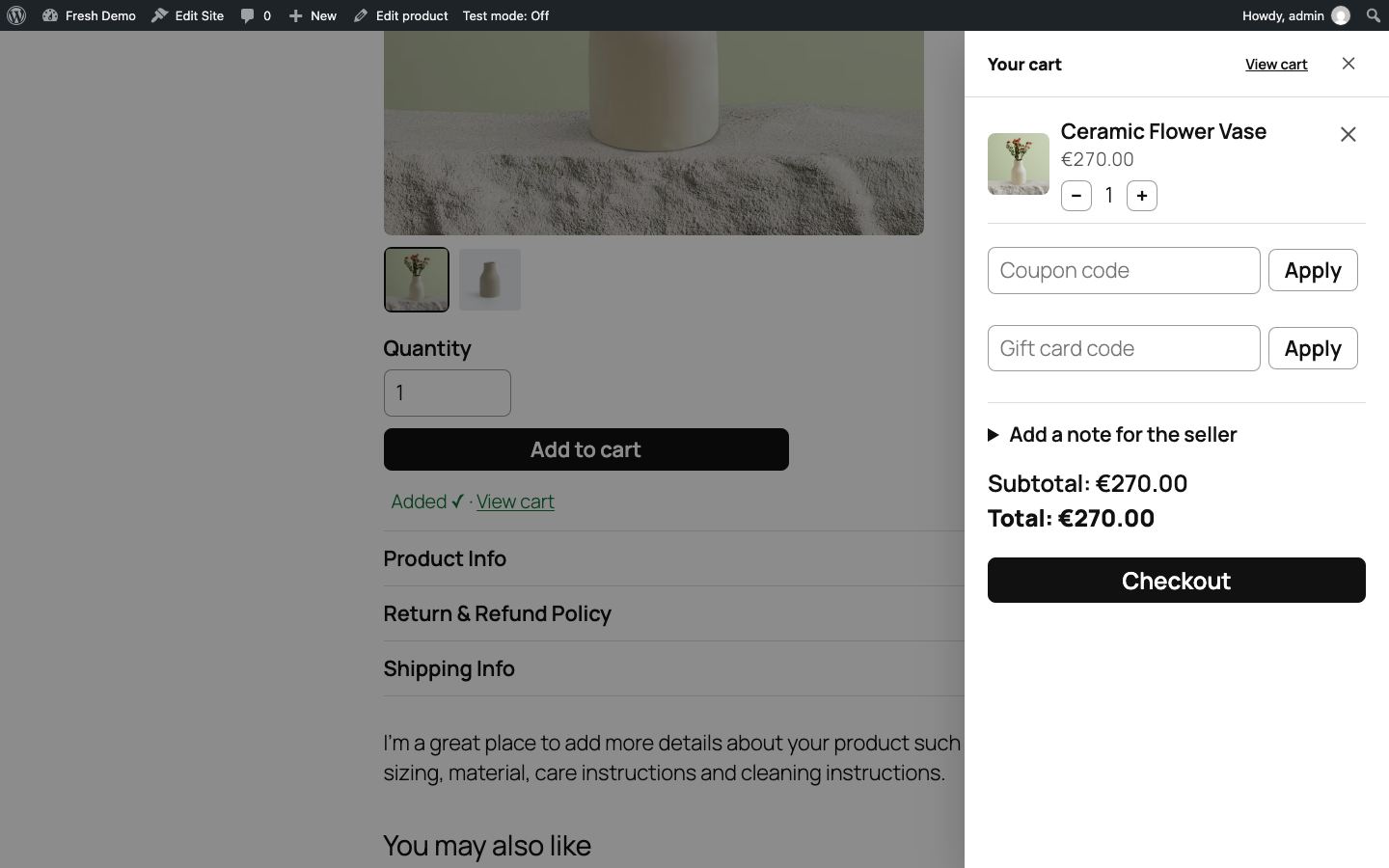
Review the cart (optional)
View cart opens the full cart page. It’s the same cart with the same options.

Check out on Wix
Click Checkout. The cart moves to Wix’s secure hosted checkout, where the shopper enters details and pays. Afterwards they return to your site.
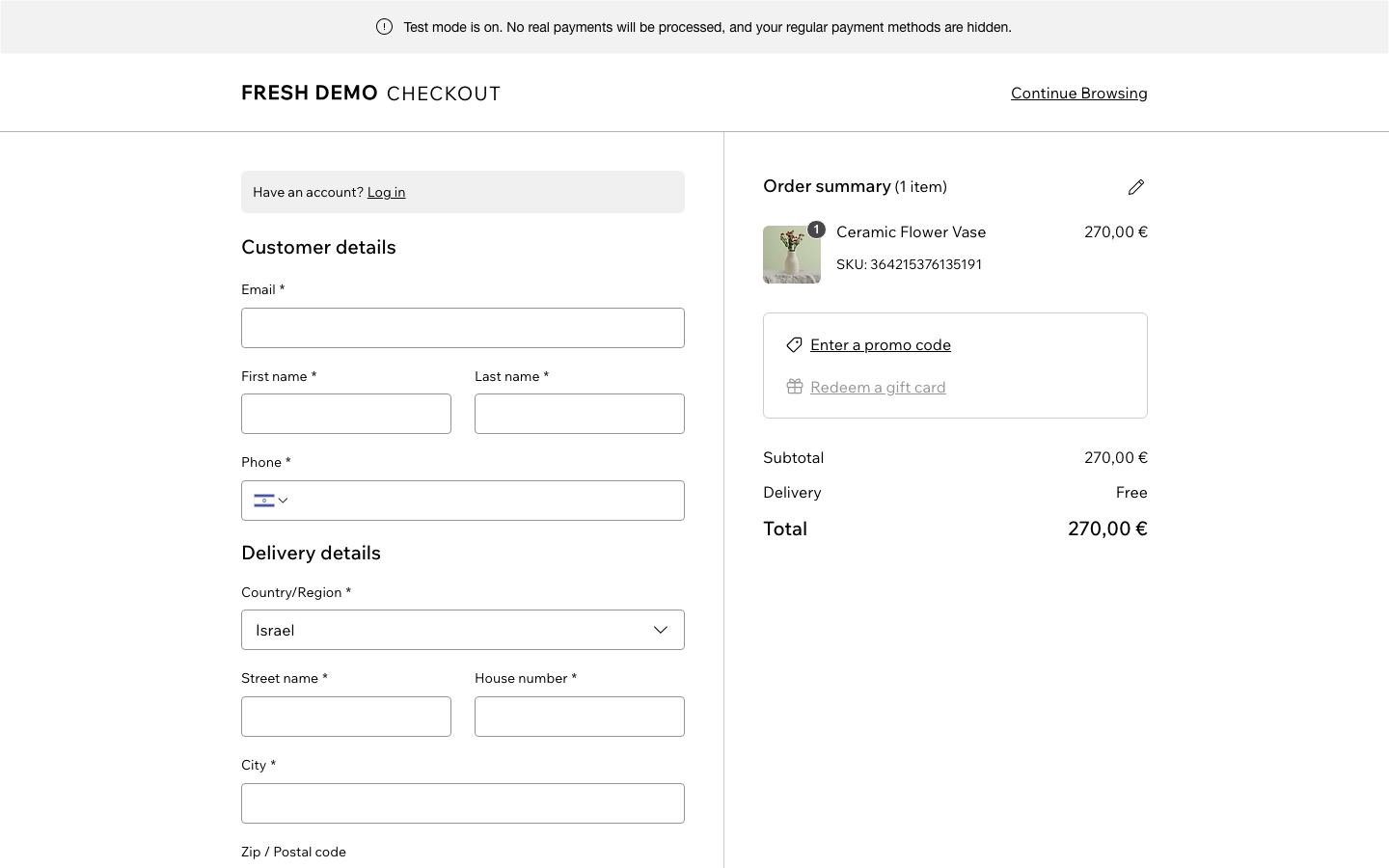
See the order in wp-admin
Open Stores → Orders
Click Update now to fetch the latest orders from Wix. Each row shows status, customer, items and total.

Check the stock
Stores → Inventory shows stock per product and variant. The sale lowered it. Change a number and click Save on that row.

Add a product from WordPress
Open Stores → Products
The list shows your Wix products as normal WordPress posts, with search and filters. Click Add new product.

Fill in the product
Add a name, description, images, price and category. Physical or digital, options and inventory are under Product data.

Publish the product
Click Publish. The product is saved to Wix first. If Wix refuses something, nothing is saved and the notice says why. The product then shows on your shop page.
Other store screens
| Screen | What it’s for |
|---|---|
| Stores → Home | Setup checklist (products, payments, shipping, tax, launch) and 7-day stats |
| Manual orders | Create an order for a phone or in-person sale |
| Categories | Organize products |
| Settings | Store details, shipping, tax, emails, site visibility |
| Reviews | Approve, reject and reply to product reviews (needs Wix Reviews) |

If something goes wrong
Add to cart says the product is out of stock
Stock is checked with Wix before anything goes into the cart. Raise the stock on Stores → Inventory, or in Wix.
A product I added in Wix doesn't show
Products sync every 15 minutes. Click Sync now on Wix → Settings → Content Sync for an immediate update.
What happens if I trash a product?
Trash hides it in Wix. Deleting it permanently from the Trash deletes it in Wix too. A product deleted in Wix is moved to the WordPress Trash, never deleted outright.
I can't edit a variant's price
Prices of multi-variant products are edited in the Wix dashboard for now.