Try each feature
Take bookings
Create a service in WordPress, book a time slot on your own page, and manage bookings from the calendar.
Create a service
Open Bookings → Services
Click Add New Service.

Fill in the service
Give it a name. In the Booking settings box, set the duration and price, and tick at least one staff member.

Publish the service
Click Publish. The notice says Service updated in Wix.
Forgot to tick a staff member?
Wix refuses an appointment service with no staff member, and nothing is saved: "Not saved. Validation failed: serviceResources service of type appointment requires at least one staff member or service resource." Tick a staff member and publish again.

Book as a visitor
Open the services page
Visit the page with the Wix Services block (or [wix_services]). Each service shows its price and a Book now button.

Pick a day
Book now opens a picker on the same page. Days with free slots have a dot.
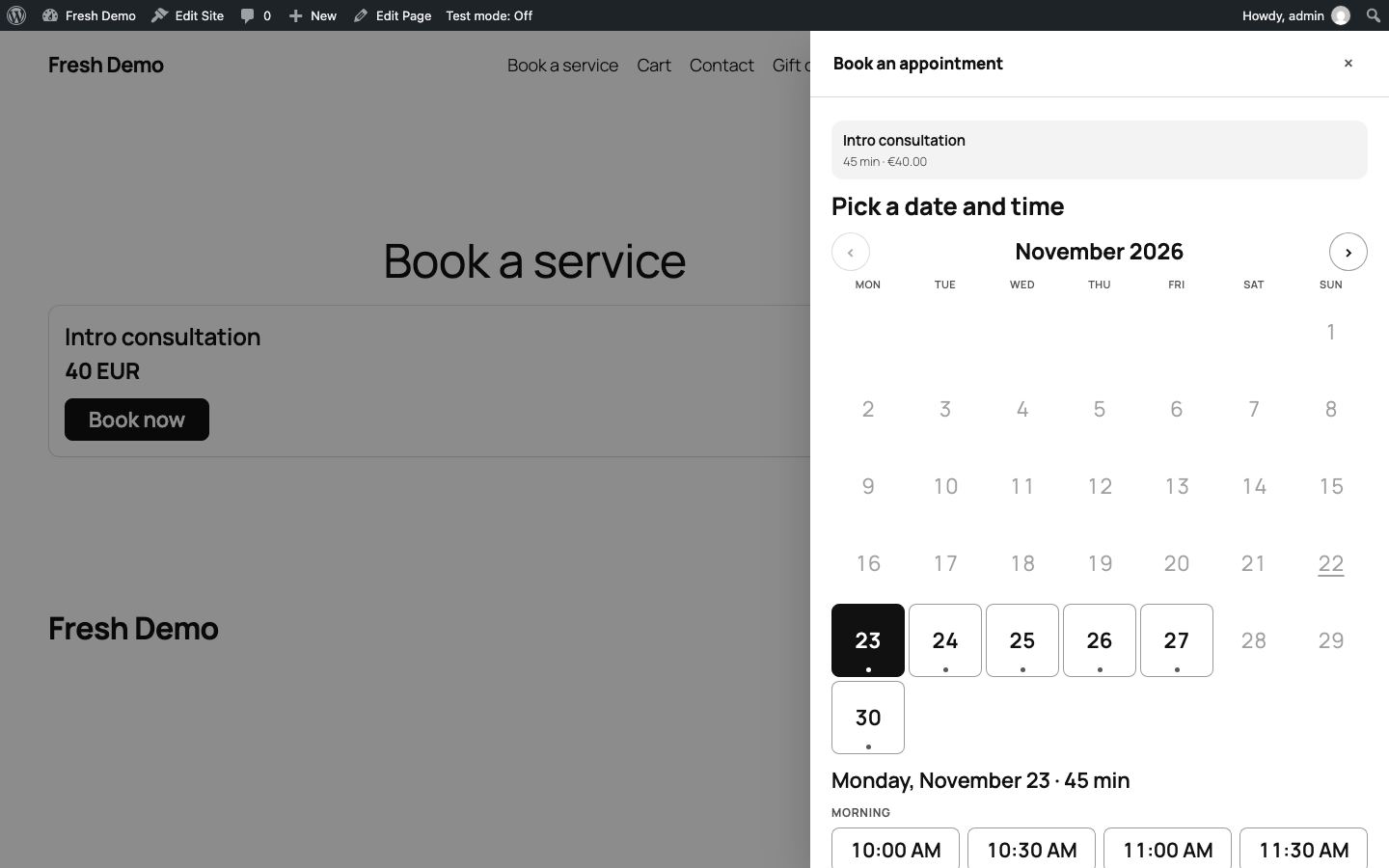
Pick a time
Times are grouped into morning and afternoon. Select one, then continue.

Confirm on Wix
Payment and confirmation happen on Wix’s booking checkout. To try it free, turn on test mode first.
Manage the booking in wp-admin
Open the calendar
Bookings → Calendar shows bookings by day, week or month, filtered by staff, service and status. + Booking adds one by hand.

Find it in the list
Bookings → Bookings lists every booking, with filters, bulk actions and Export CSV.

Change booking settings
Bookings → Settings sets the page Book now links to, the timezone shown to customers, whether they pick a staff member, and whether they can cancel or reschedule.

If something goes wrong
The picker shows no free slots
Slots come from the staff member's working hours in Wix. A new staff member uses the business hours. Set working hours in Wix → Bookings → Staff, and check the service's duration.
Customers see the wrong times
Bookings → Settings → Timezone display switches between the business timezone and the visitor's own.
Where do I manage staff?
Staff, working hours, time off and booking policies are managed in Wix. Bookings → Staff in wp-admin shows them, refreshed every ten minutes.